Portfolio
Travelocity Mobile App
Details
- Category
- Mobile UI
- Primary Role
- UI/UX Lead, Mobile and Tablet
- Tools
- PS | Illustrator | Axure
- Release Date
- Sept 2013 (Android and iOS)
Introduction
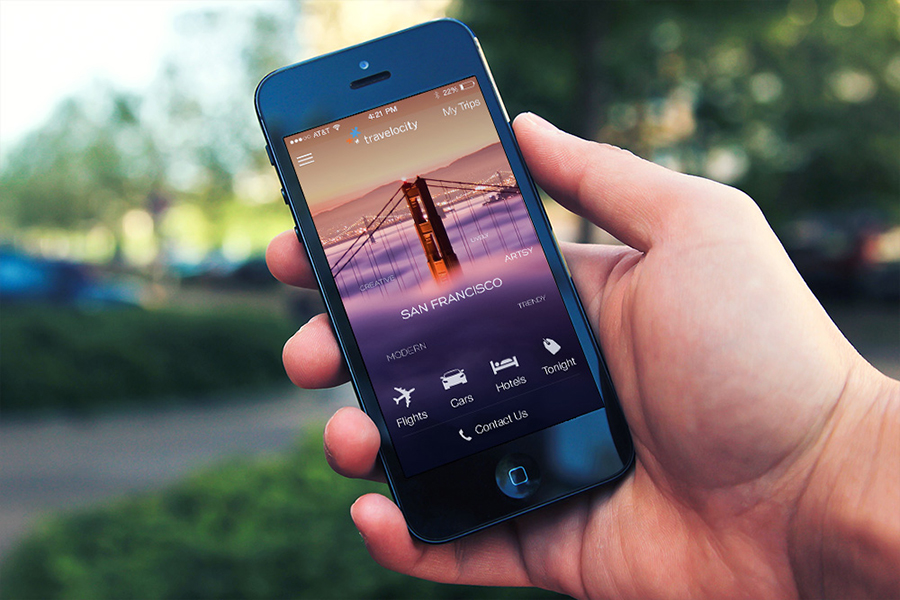
Featured by Apple!
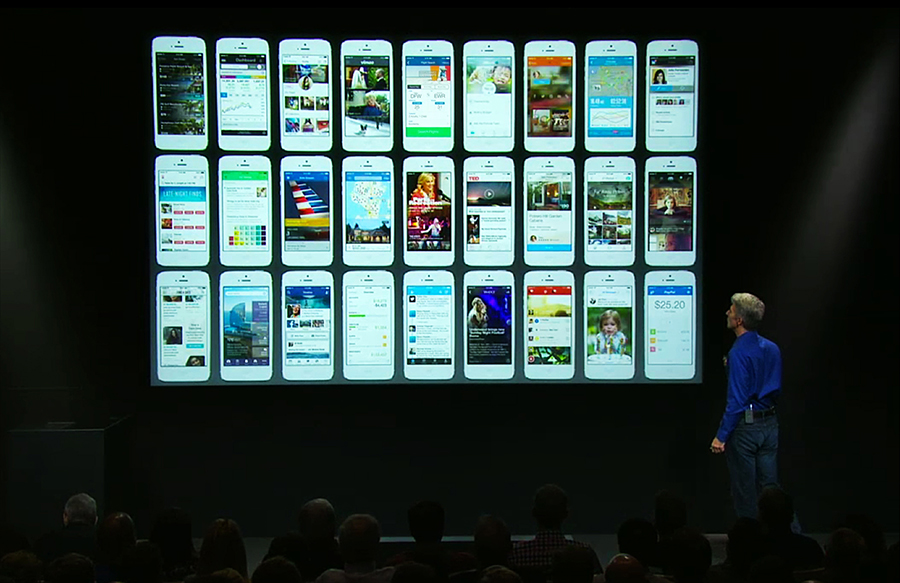
Apple featured the redesign in their Special Event that just took place on September 10th, 2013. They featured our app along with a few others like Facebook, Twitter, Path, LinkedIn, etc.(It is the fifth screen on the first row)
Brainstorming and Early Sketches
I was hired at Travelocity to be the lead of all of our native applications for mobile. The apps that were currently available had many issues with them, they were designed without the customer in mind, unstable, and the last design change was about 4-5 years ago on the iPhone. After ramping up and updating the current Travelocity App with the latest functionality available, we also made it to a point where we felt comfortable to focus on a huge overhaul. We gathered several requirements and ideas that we wanted to incorporate in to the app, followed by making a road map for development.
The redesign started process started in March with a focus on iOS. It started out with making sketches based off of the functionality we wanted to include. This process went through many iterations of low and fidelity wireframes as we solidified a direction that we wanted to take. Shortly afterwards I created an HTML prototype of the app to start testing functionality in front of customers. You can check out a video of the HTML early prototype I created here:
You can see the HTML prototype here.
Prototype and Usability Testing
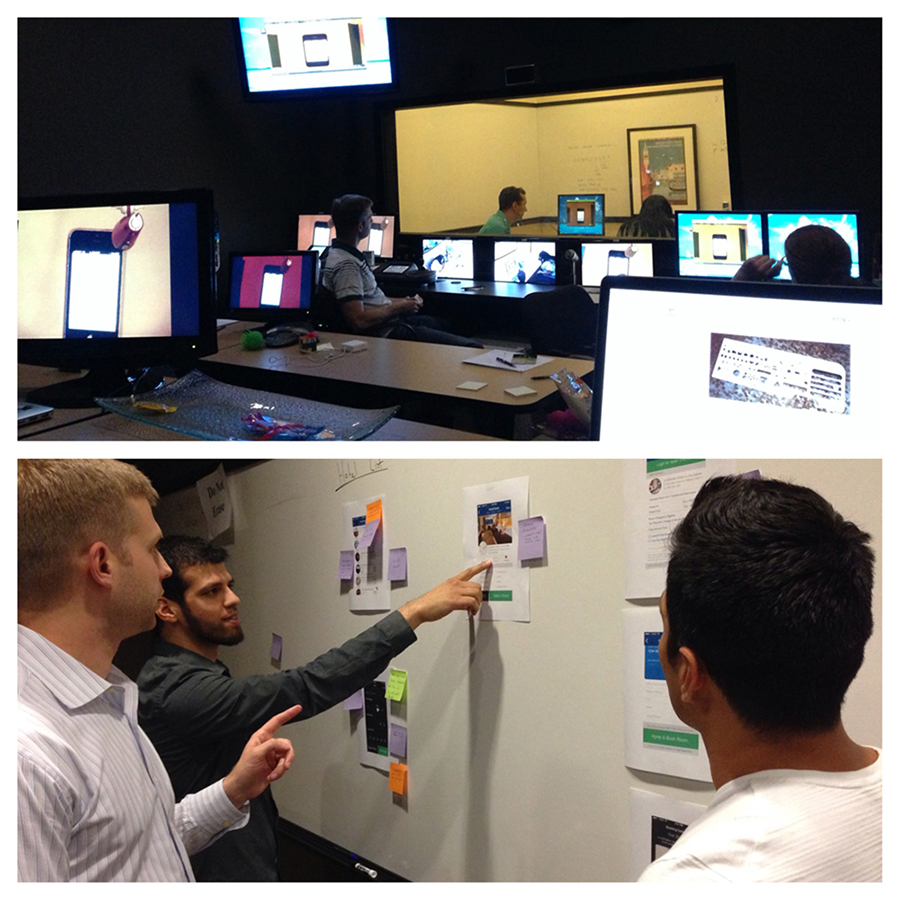
We had a Usability Testing Lab on site which we would frequently use whenever we wanted to test out our products. We tested out the prototype and updated it as we got the feedback, which in turn allowed us to continually improve the product. We would also make Starbucks runs and put it in front of customers to see their thoughts. We would perform some A/B testing comparing the old design with the new design to ensure we were improving on the existing experience and not hindering it. The idea was to make sure that we had consistency across all mobile platforms (Android, iOS, Mobile Web); Basically a user of any device could easily pick it up and use it without having to relearn interactions or where things are placed.
iOS 6 to iOS 7 Transition
apple-event.jpgA few of us, including me, had the opportunity to attend WWDC 2013. Upon hearing the new direction, we had decided to halt development and rework the existing design to have a very iOS 7 look to it. Given the fact that we found out in the middle of June (with an expected release in September), we needed to determine the new direction rather quickly. I went through Apple's UI documentation as well as noted all interactions, patterns, styles, layouts that were used by Apple in their beta. I was able to rework our current design, incorporating what we had learned from our usability testing and research, to ensure we had ample time for development.
Android Development
Our Android team grew significantly and so as we were prepping the iOS design, we also were designing for Android. We made it a point to understand all the differences between iOS and Android, and cater the best app catered to each platform. You can check out some earlier comparison shots between the Android and iOS designs here:
Android vs. iOS Comparison
Documentation & Communication
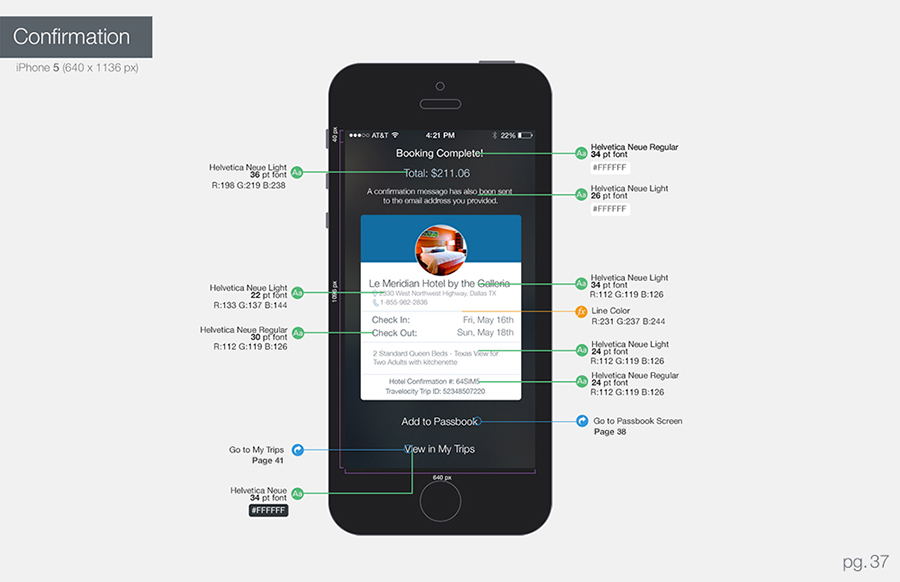
Throughout the process of design and development, I made it a point to make myself very accessible. I provided comprehensive documentation listing out things like colors, effects, font sizes, type, etc. You can see an example below of a page of the documentation that I created for the developers. Additionally, I had created app flow diagrams and several prototypes like the one linked above (here), so that developers understood the interaction and flow of the app.
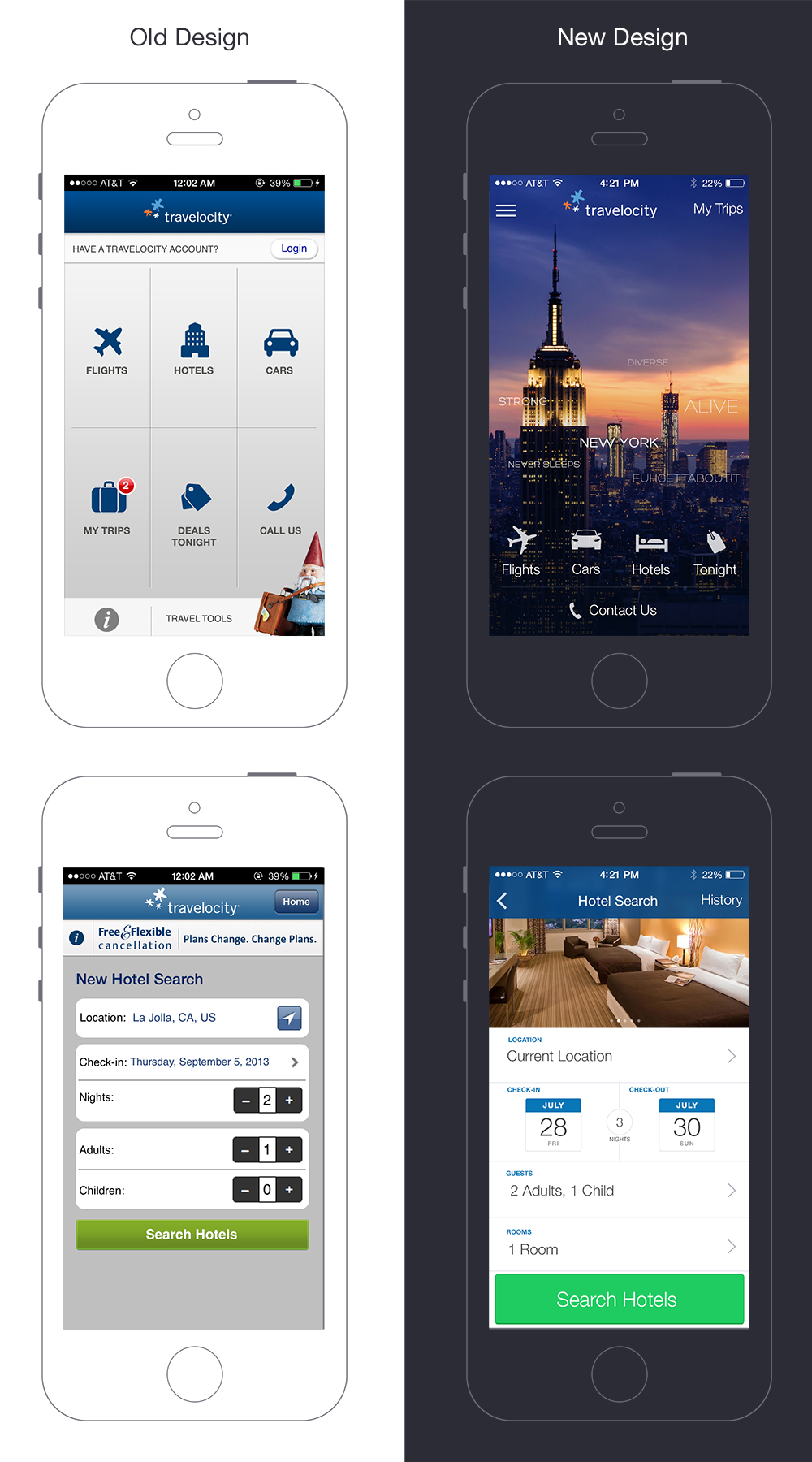
Before & After
The Travelocity app has went through several iterations to greatly improve the experience the user has. It has tested positively and even preferred when put next to our competitors. We have put in place many methods of tracking key metrics so that we can see the increase in conversion (also to fix any places which may be hurting conversion).
Release
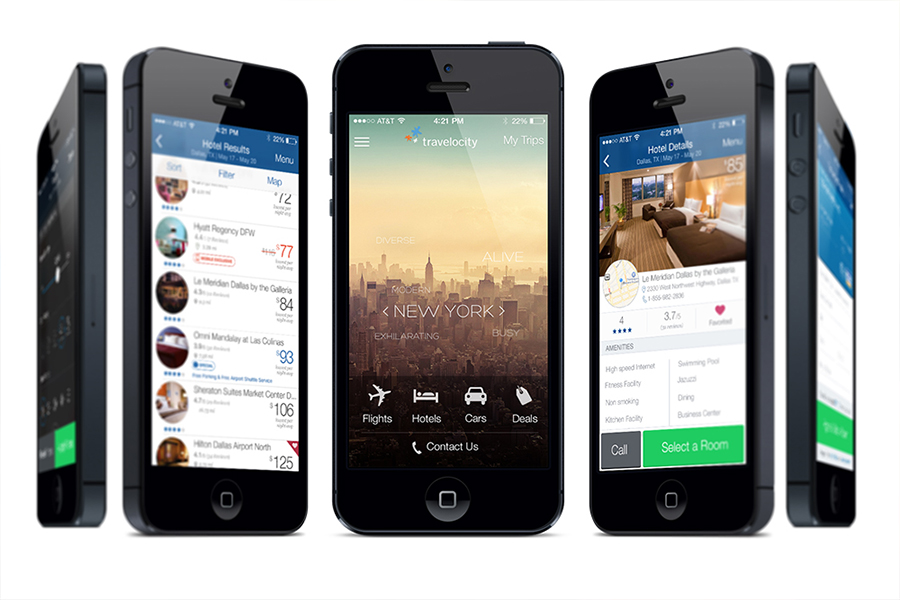
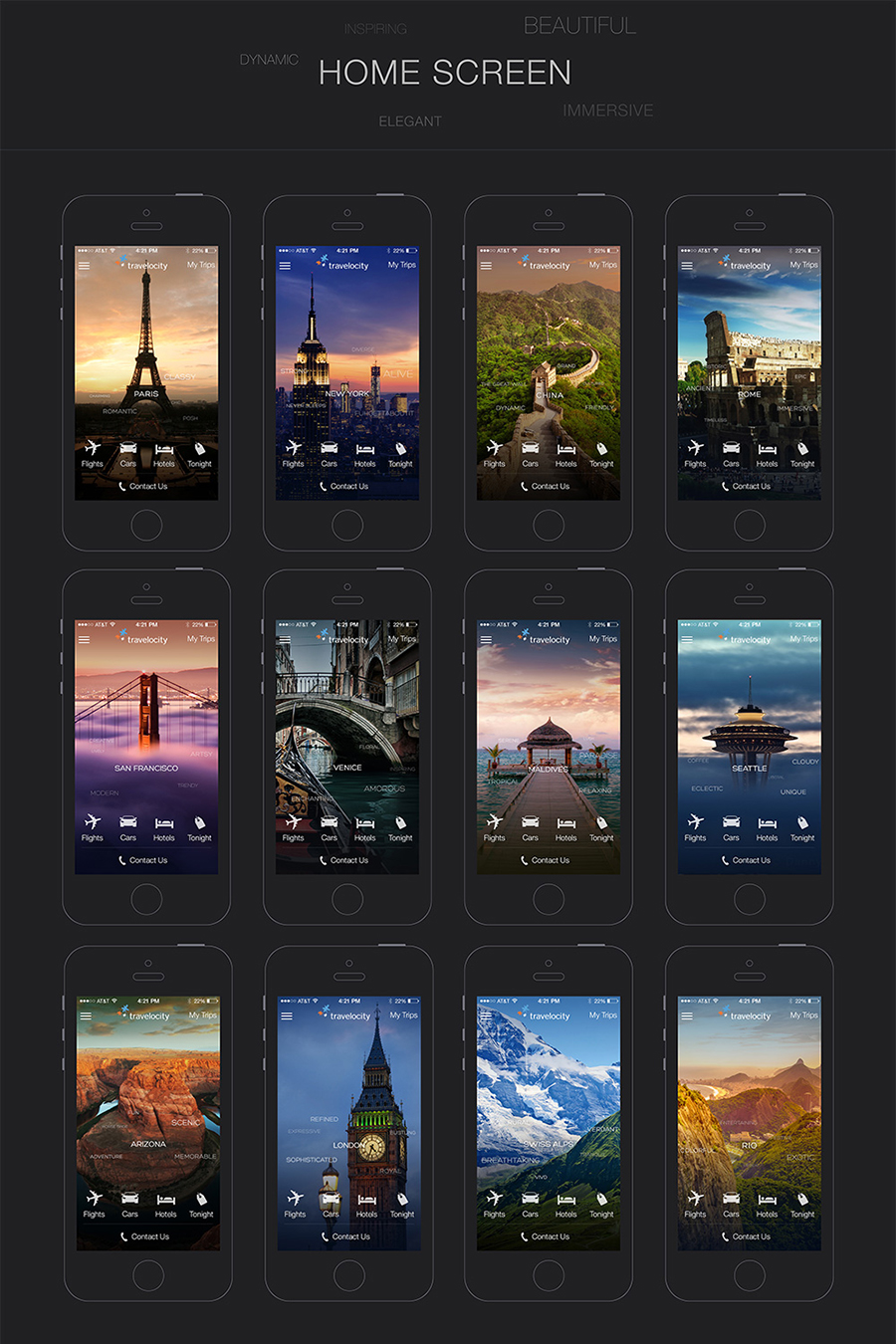
Apple has chosen our app to be a launch partner. Our app will be featured by Apple and launching with the release of iOS7 in September. It will be followed by a release for the app on the Android platform in late September.You can see more screens for the Travelocity app here:
iOS 7 Screen Shots
My Responsibilities
- Rapid Prototyping/ Conducting constant usability tests
- Ensure all accessibility standards were met
- Storyboarding, making low and high fidelity mock-ups
- Designing the visuals for the app
- Work with Development team to implement the design
Travelocity Google Glass App
Details
- Category
- Mobile UI
- Primary Role
- Concept Design
- Tools
- PS | Illustrator
- Release
- Release in October
Introduction
The Concept
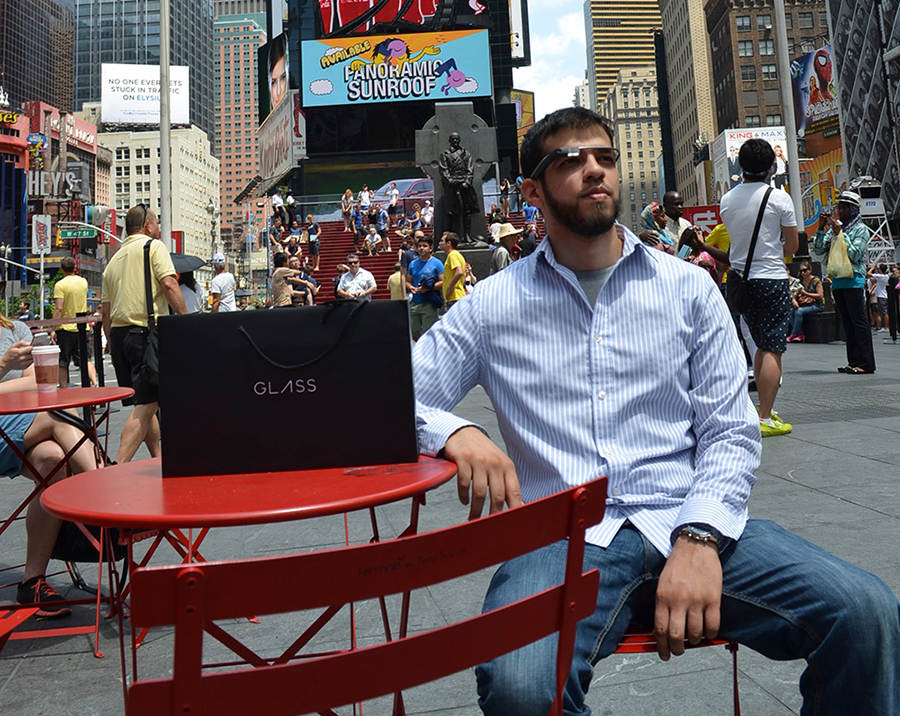
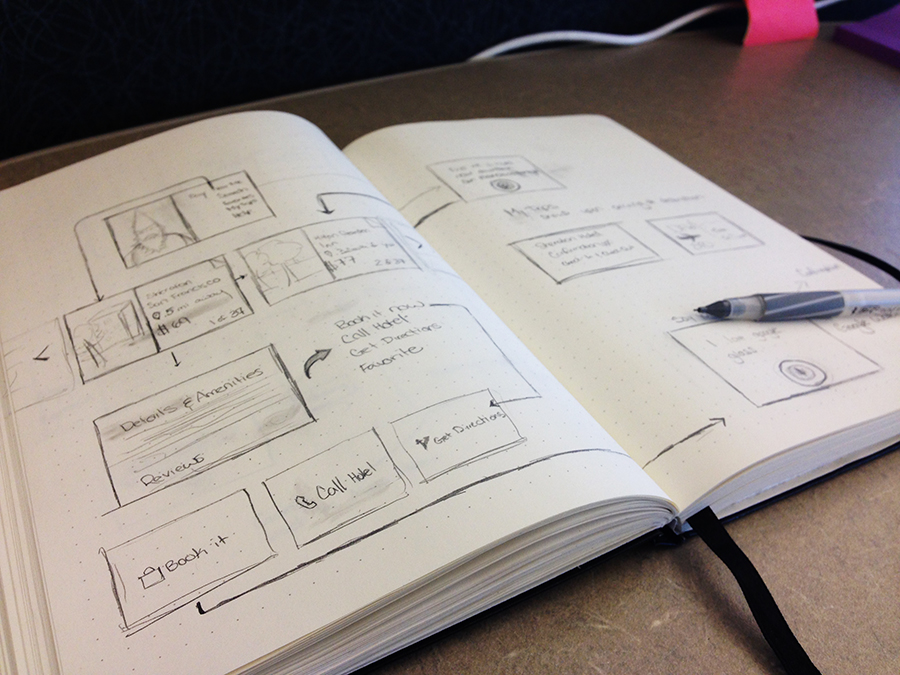
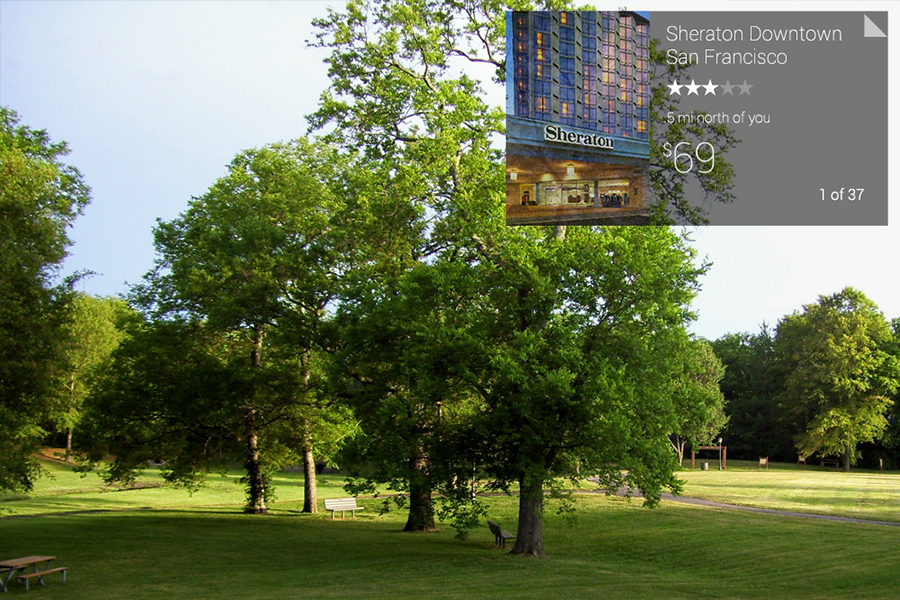
I was chosen to be a Google Glass Explorer and so I jumped on the opportunity to get one. I instantly became immersed and intrigued by the new interactions and it's implications for future technology. Since I work at Travelocity, I proposed the idea of launching a last minute hotel deals app for the Google Glass. The pitch was well-received and so I began making sketches, determining user scenarios and laying out the flow of the app. After this stage I began to make a visual diagram of the app so that the developers could understand. You can check out some of my sketches and screen flow below. The app is currently in development and slated for an October release.
iOS 7 Concept Icons
Details
- Category
- Mobile UI
- Primary Role
- Design
- Tools
- PS | Illustrator
- Purpose
- Design Exercise
Introduction
The Exercise
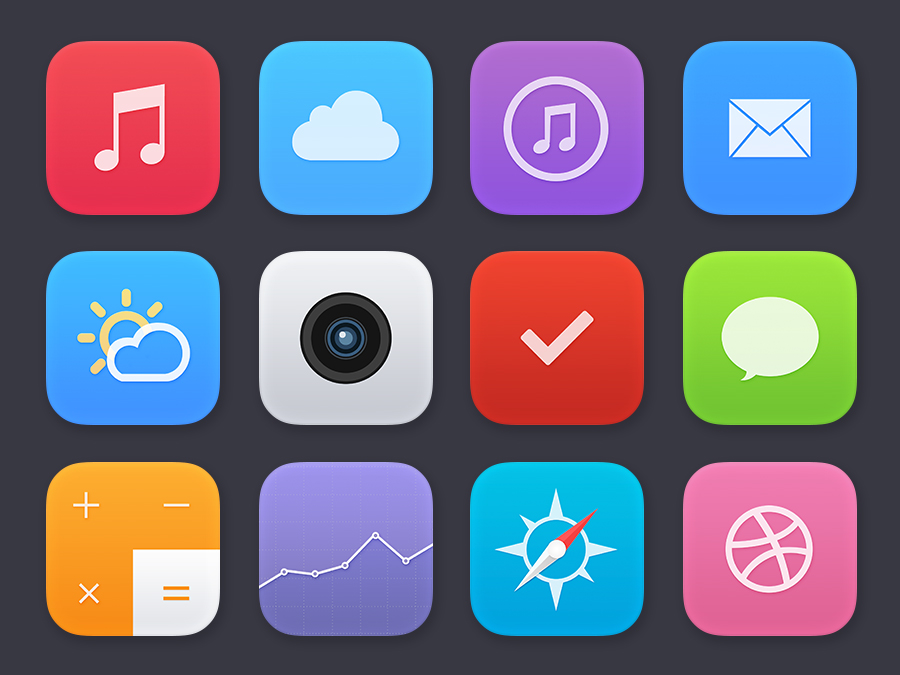
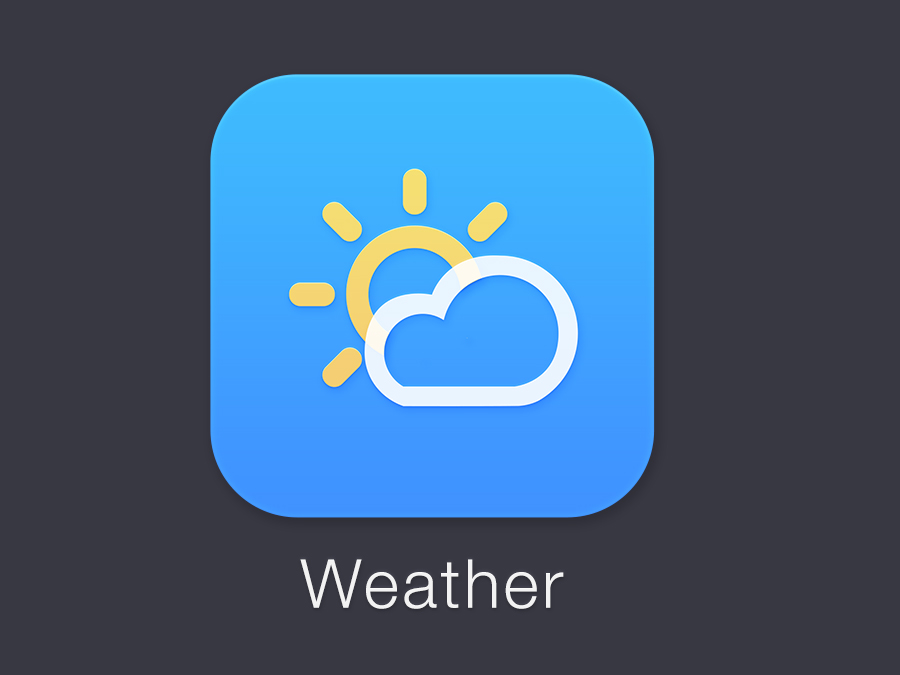
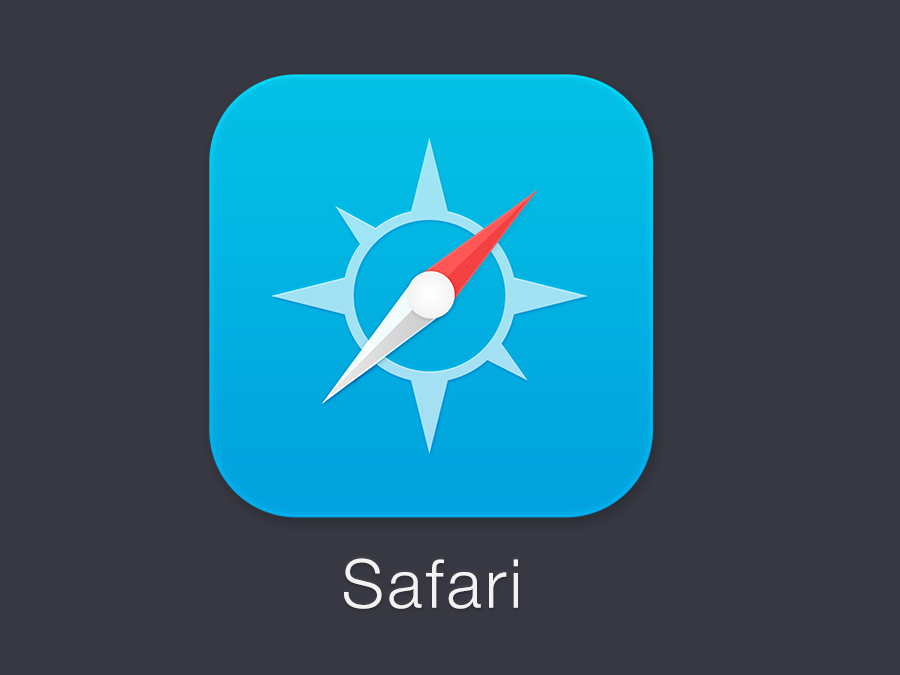
Here are a couple of app icons that I had made during WWDC as concepts for iOS7. The idea was to practice a much flatter look that emphasized colors and icons to distinguish apps from one another.
Weather iPhone App
Details
- Category
- Mobile UI
- Primary Role
- UI Design, Proj. Manager
- Tools
- PS | Illustrator | Axure
- Status
- 70% Complete
Introduction
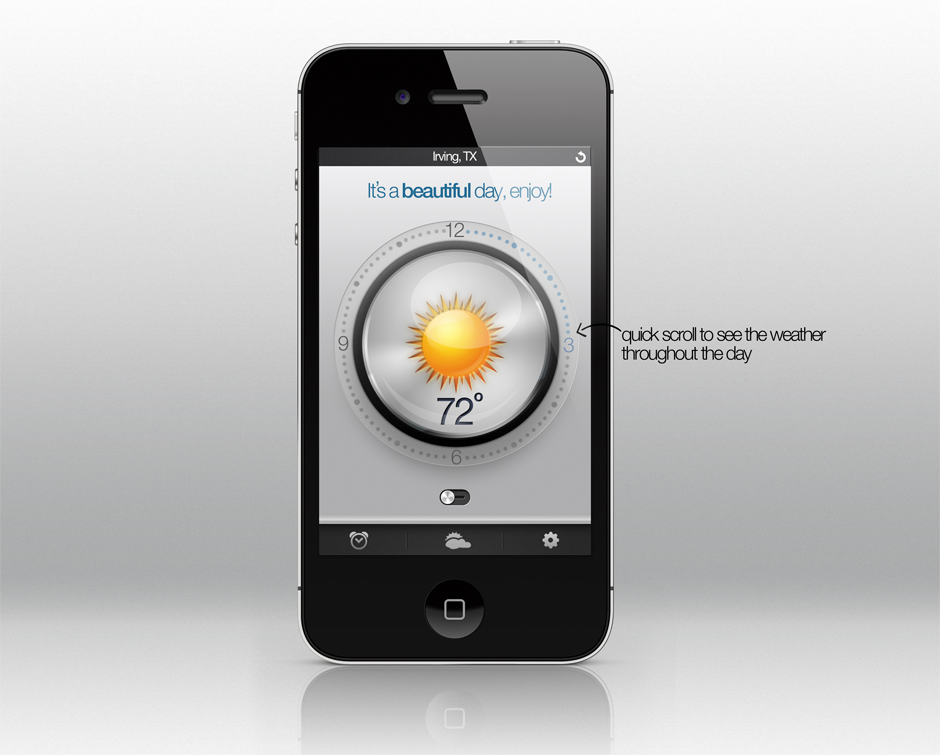
The Project
At Ihsaan|Fusion, the start-up which I am a part of, we were challenged internally to coming up with a product that is catered to everybody. Naturally there are essential apps that come to mind, Mail, phone, web, and of course weather. There are several weather apps but none that give enough to have the user to continue using the app.
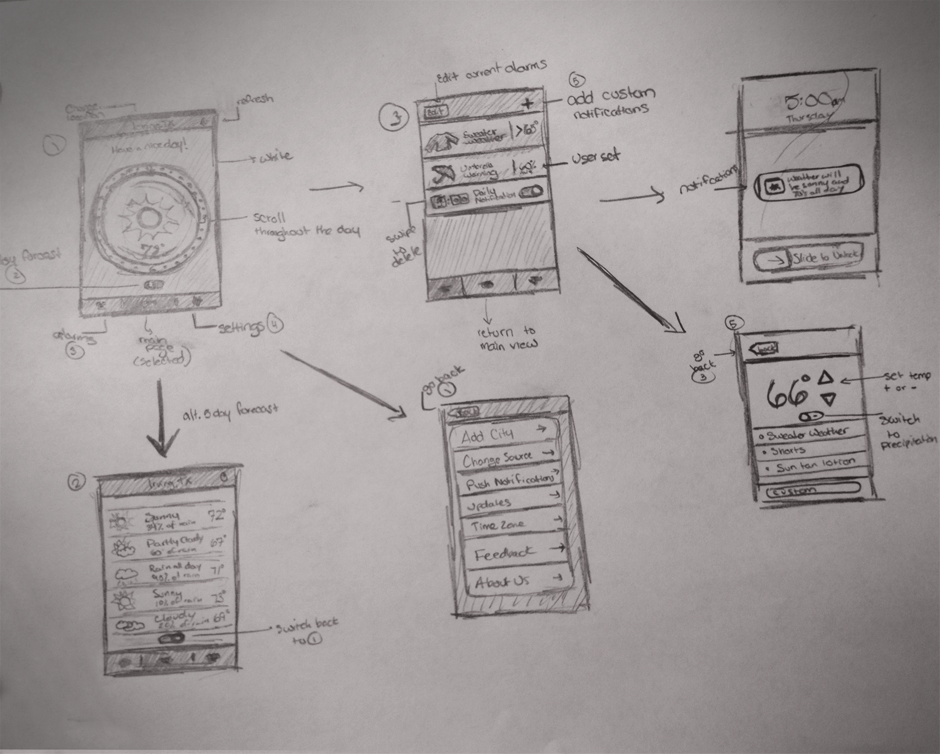
So after much thought, contemplation, and experimenting with what was currently out there….I compiled a list of functional and user requirements. From here I went on to sketching and storyboarding how the application would work. Once I finished figuring out the information flow I made a prototype using Balsamiq. I then brought it to life with a photoshop mock-up and worked with the programming lead to make a few tweaks. The final product that you see here is currently 70% complete in development and soon will be on to user testing! See above for the final product and some sketches.
My Responsibilities
- Writing the Functional & Design Requirements
- Storyboarding, making mock-ups
- Designing the visuals for the app
- Work with Development Lead to implement the design
Weather App Concept for Windows Metro
Details
- Category
- Mobile UI
- Primary Role
- UI Design
- Tools
- PS | Illustrator
- Status
- Concept
Introduction
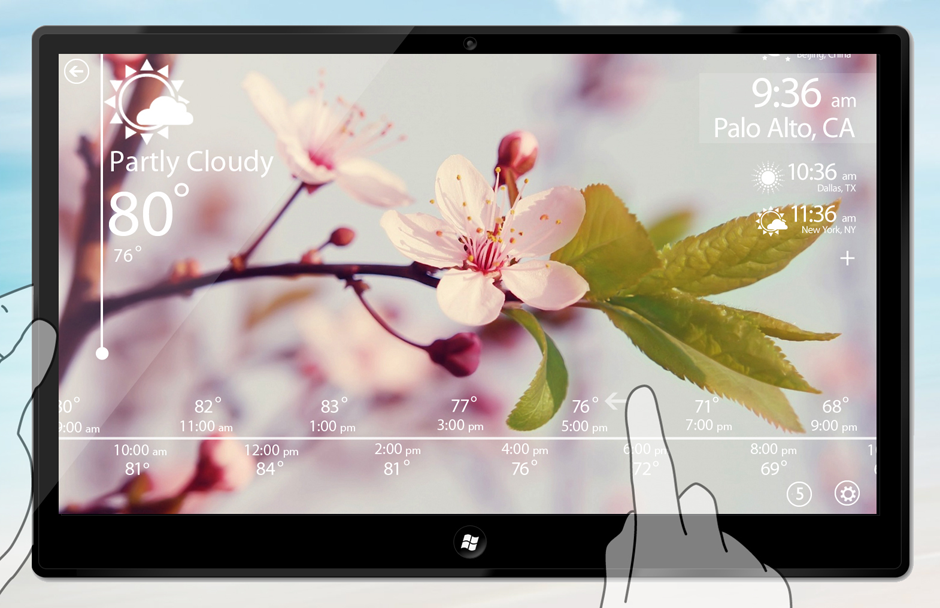
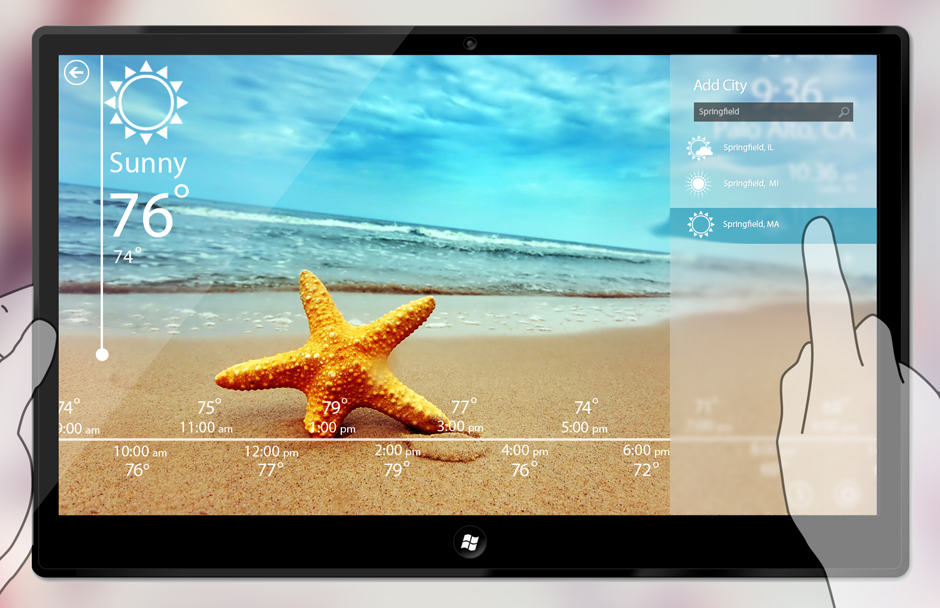
The Project
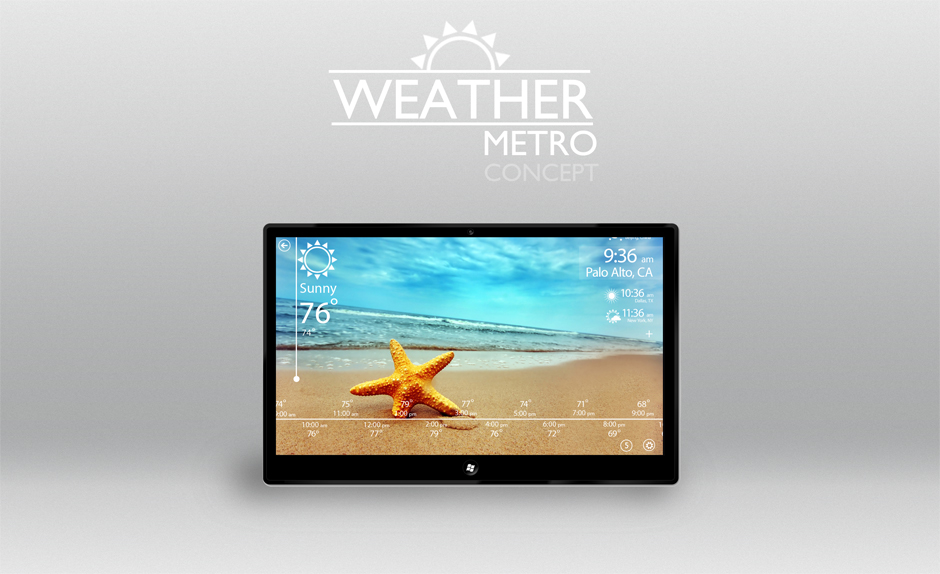
First concept made for a weather app on Metro. The focus is being able to give today's hourly data in a much more comprehensive & intuitive way.
My Responsibilities
- Writing the Functional & Design Requirements
- Storyboarding, making mock-ups
- Designing the visuals for the app
Orange Lion Consulting Website
Details
- Category
- Web Design
- Primary Role
- Design Lead/Front-End Dev.
- Client
- Orange Lion Consulting
Introduction
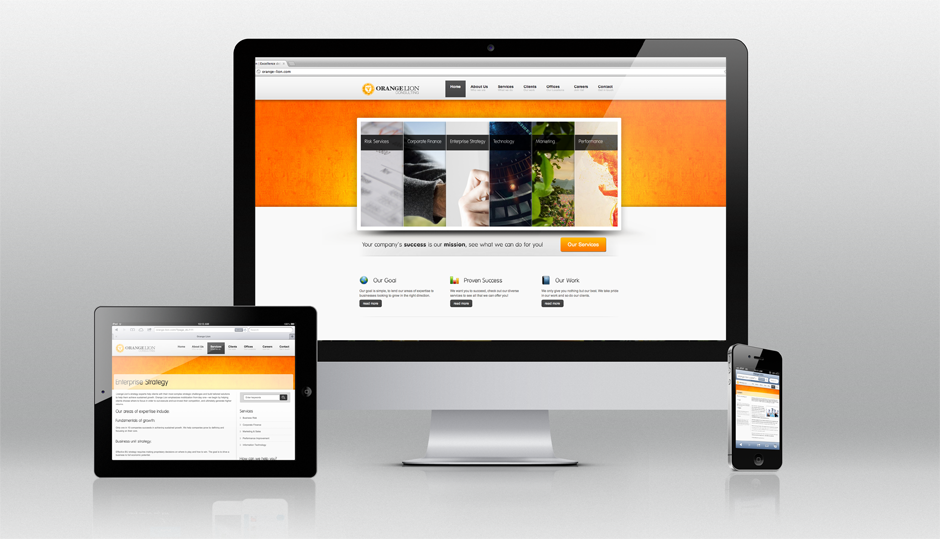
The Project
Orange Consulting has been doing business for years and it came time to update their ancient website to represent who they are. They approached me to conduct analysis on how to get across the most important information to the users. They also wanted to keep the professional integrity of the brand but at the same time give it a very modern look to it. This required hours of research and many mock ups before this was decided on. Once Orange Lion Consulting approved of the prototype I began the front end development which consisted primarily of HTML, CSS, Jquery. The project was completed and the customer couldn't be happier as to how it turned out.
My Responsibilities
- Formulating mock-ups and information flow
- Rapid Prototyping, Axure
- Designing the visuals throughout the website
- Front end coding, i.e. HTML, CSS, J Query
- Occasional Maintenance
Bayyinah Conference Website
Details
- Category
- Web Design
- Primary Role
- Design Lead/Front-End Dev.
- Client
- Bayyinah
Introduction
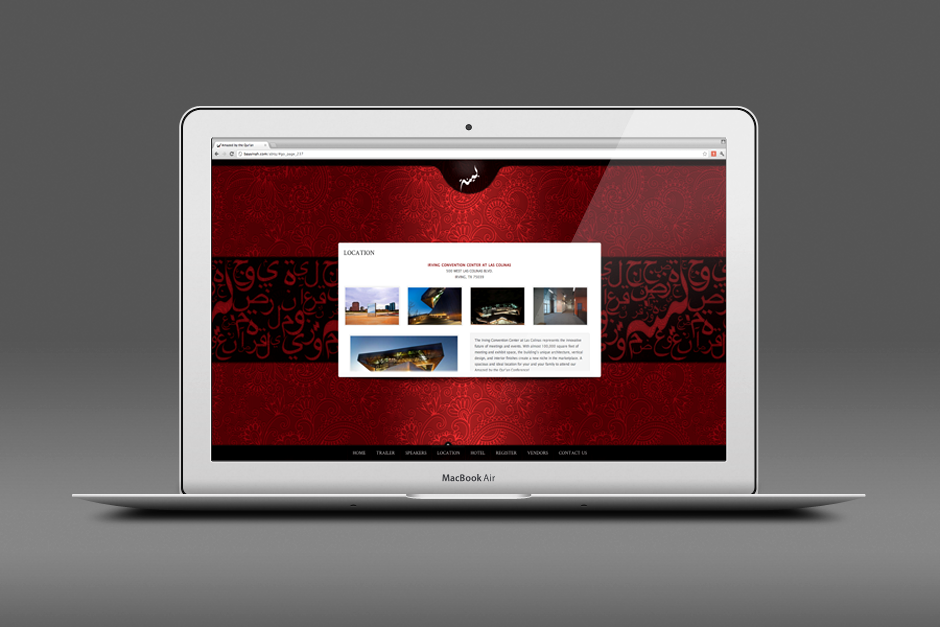
The Project
We were approached to complete a Conference website for Bayyinah Institute. The client had already determined the functional requirements and had the content in hand.
I primarily designed the website, graphics, promotional material etc as well as aided in the front-end HTML and CSS of the website. The colors were chosen to give a very bold/distinguished look because it was their first conference. Worked very closely with the client and provided many mock-ups before going with this design.
My Responsibilities
- Formulating mock-ups and information flow
- Designing the visuals throughout the website
- Aided in the HTML & CSS implementation of the website
- Conducted User Feedback Interviews
Supplications iPhone App
Details
- Category
- Mobile Design
- My Role
- UI|UX Design, Proj. Manager
- Tools
- Visio, Balsamiq, Illustrator, PS
- URL (iTunes)
- Available Now
Introduction
The Project
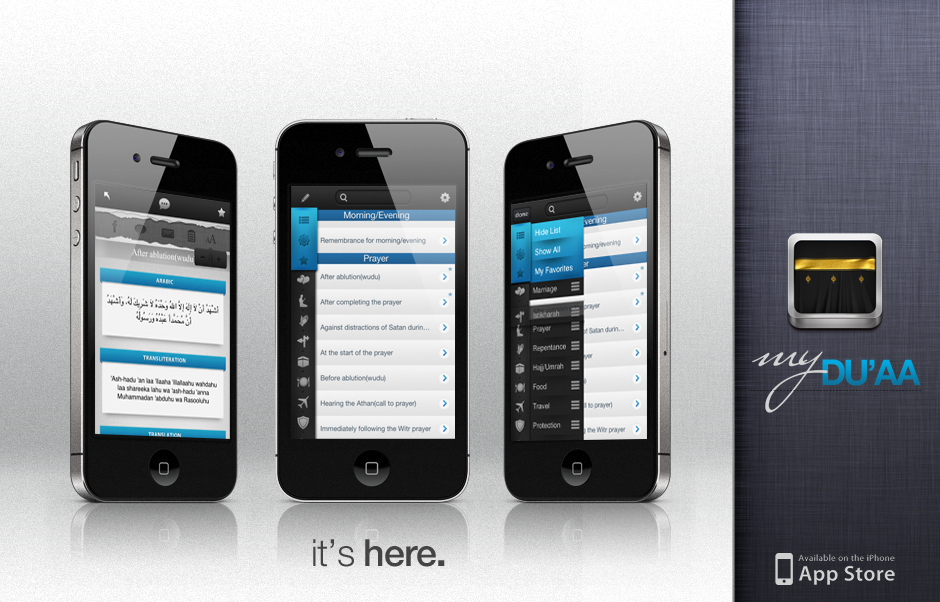
This project was to take a widely used book (used for prayers/supplications) and fit everything we could into an app version. Not only did we want to do this but we also wanted to increase the functionality of it. Started out at the drawing board and moved on up. The way the book was structured was there were over 200 prayers but in no specific order or flow. Listed out all of the prayers and them broke them into categories, eventually breaking the original ~250 prayers into 15 main categories. From here, made a few mockups of a user interface that would essentially work given the iPhone's screen size.
The Goal
The goal was that the user can find whichever prayer they are looking for within seconds and with a very limited number amount of taps to get there. The way it was designed was just that, as soon as the application is opened, you will notice the 15 category icons displayed vertically to fit to ensure the most number of categories on the screen at a given time. once a user taps on the category, they now have limited the 250+ supplications to about 15. Alternatively, the user can avoid all that might using the search that is located at the top, so they can instantly find what they are looking for. Including, audio support, social media sharing, language options, font options, and many more features.
My Responsibilities
- Information Architecture
- Formulating mock-ups and information flow
- Designing the User Interface and visuals throughout the app
- Worked with Dev. Lead to adjust any UI elements
- Conducted User Feedback Interviews
- Continued Maintenance & Updates
Life Calendar iPad Interface Design
Details
- Category
- Mobile Design
- Primary Role
- User Interface Design
- Client
- Starpoint Tech.
- Progress
- In Development (Early Stages)
Introduction
The Project
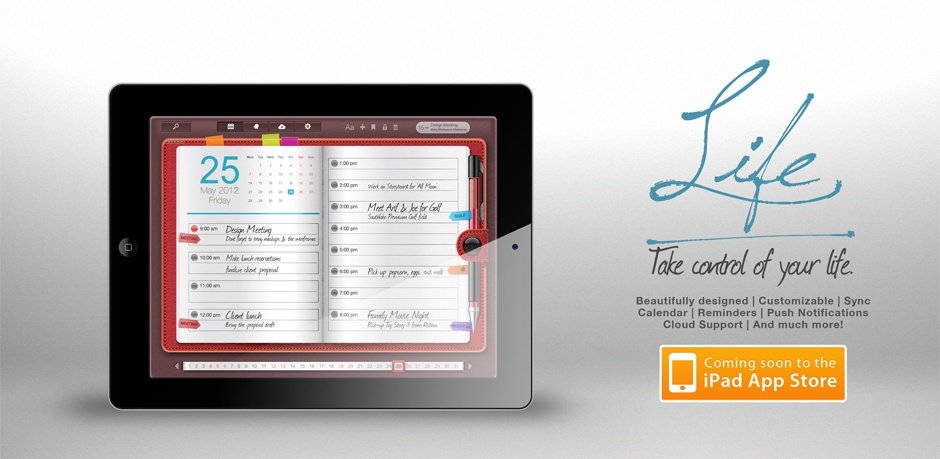
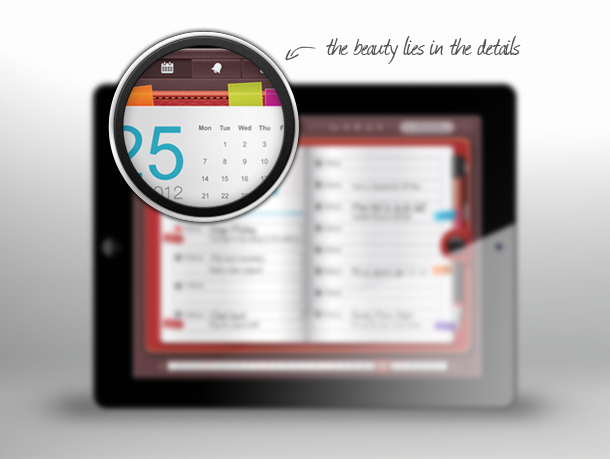
A client reach out to us in regards to making a personal scheduling app jam-packed with features without taking away from its aesthetic appeal. I was contacted by the client to do some information visualization and rapid prototyping. So without any hesitation, I got right to it, dissected the functional requirements and made a few mockups.
The Client was elated with the final UI design iteration and decided to move forward with development with this design. I will also be aiding in the testing of the beta before it is released publicly. This was designed for the iPad 3 resolution (2048x1536). Hopefully, this app comes out sooner than later. :)
My Responsibilities
- Formulating mock-ups and information flow
- Involved with wire framing
- Designing the User Interface and visuals throughout the app
- Heavy usage of Photoshop/Illustrator
Simplified iPhone App Interface Design
Details
- Category
- Mobile
- Primary Role
- User Interface Design
- Client (also designed website)
- Simplified (website)
- Progress
- Latter Stages of Development
Introduction
The Project
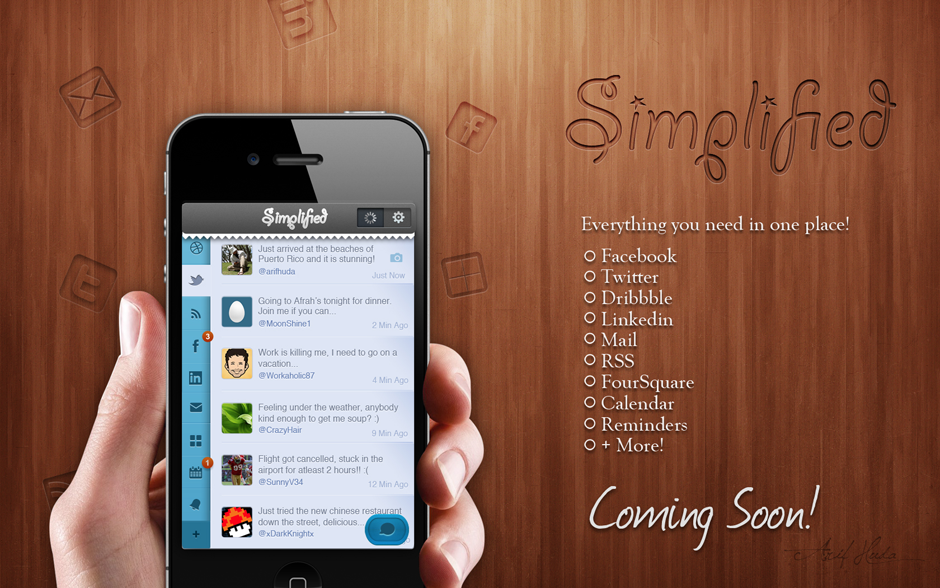
Working with 'Simplified' was a unique and enriching experience. The project had many challenges because the goal of the project was essentially we want this app to do everything. And so I took that into consideration when designing the optimal user interface for the end-user. Made many prototypes and concepts before finalizing on this design. This company was a start-up so they wanted to make sure to hit the app store with a bang.
Researched each social media website to see the features they offered to ensure that the design takes that into account when making the overall design. The app is well into development and should be available in the fall of 2012 (from the last I've heard).
Also, I was asked to design their website and promotional material.
My Responsibilities
- Formulating mock-ups and information flow
- Researching design for user advocacy
- Designing the User Interface and visuals throughout the app
- HTML/CSS/JS for Website
Simplified Website Design and Implementation
Details
- Category
- Web Design
- Primary Role
- UI Design/Front-End Dev.
- Client
- Simplified
Introduction
The Project
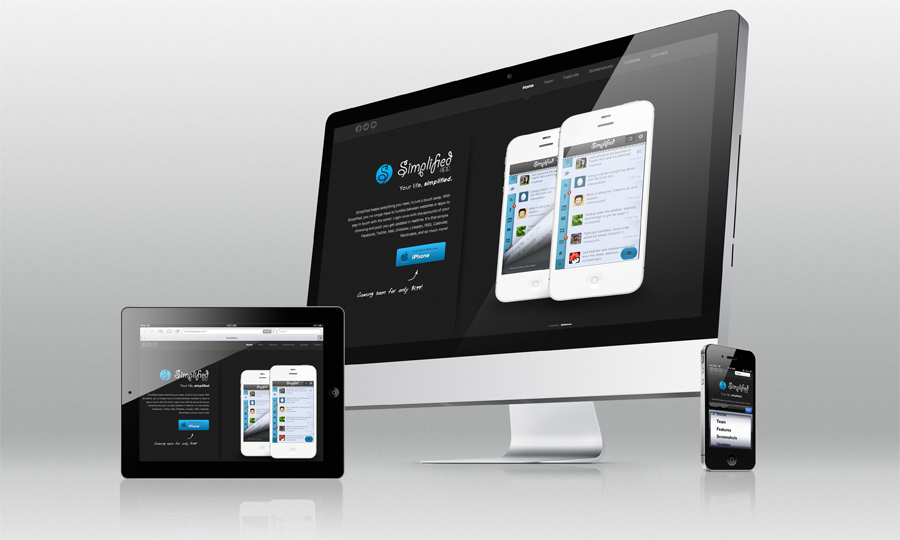
I was requested to develop an app website to accompany the design of the app which I did. I created a website that was straightforward but gave the feeling of professionalism. Given that this app deals with sensitive data, I took an approach that would comfort any user that visits their website. I constructed the graphics as well as coded it in HTML5, CSS, and JS. In addition, I incorporated Responsive Design so it looks beautiful on any device.
My Responsibilities
- Formulating mock-ups and information flow
- Researched competition
- Designed the website (Visuals and code)
- HTML/CSS/JS for Website
- Responsive Design Implementation
Mobile Keychain Charger Prototype
Flowers
- Category
- Misc/Prototype
- Primary Role
- Design Lead
- Tools
- Photoshop, Illustrator
- Purpose
- Business Proposal
Introduction
The Project
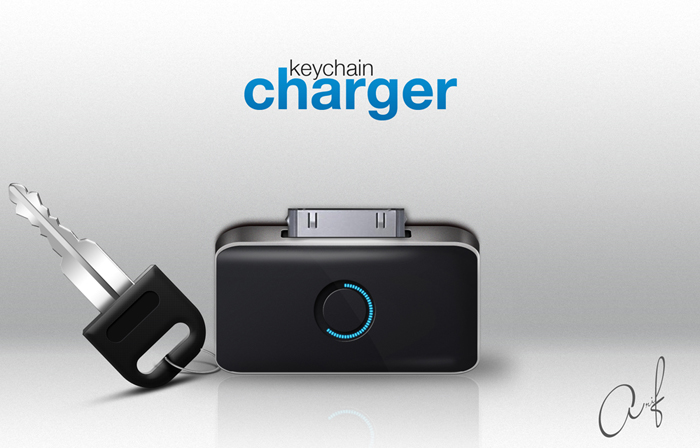
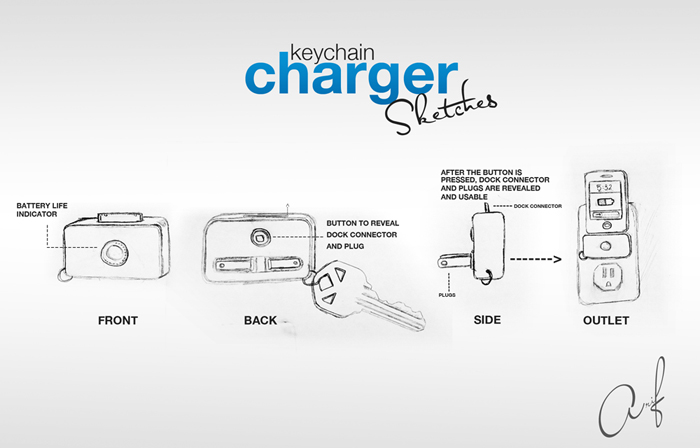
In my spare time, I usually sketch out any ideas that come to my mind. This idea of a mobile keychain charger that is the size of a key fob came to me and I had to make it into a reality. I started by sketching a few mockups and then right went into Illustrator and Photoshop. I designed a final product so when I was submitting my proposal for critique (on Quirky), I received an overwhelmingly positive response. Because the audience was able to see how the end project could potentially look like, they were more receptive of the idea and its potential.
My Personal Website V1
Details
- Category
- Web Design
- Primary Role
- Everything
- Tools
- PS, Illustrator, CSS, JS, HTML5
- Progress
- Terminated
Introduction
The Project
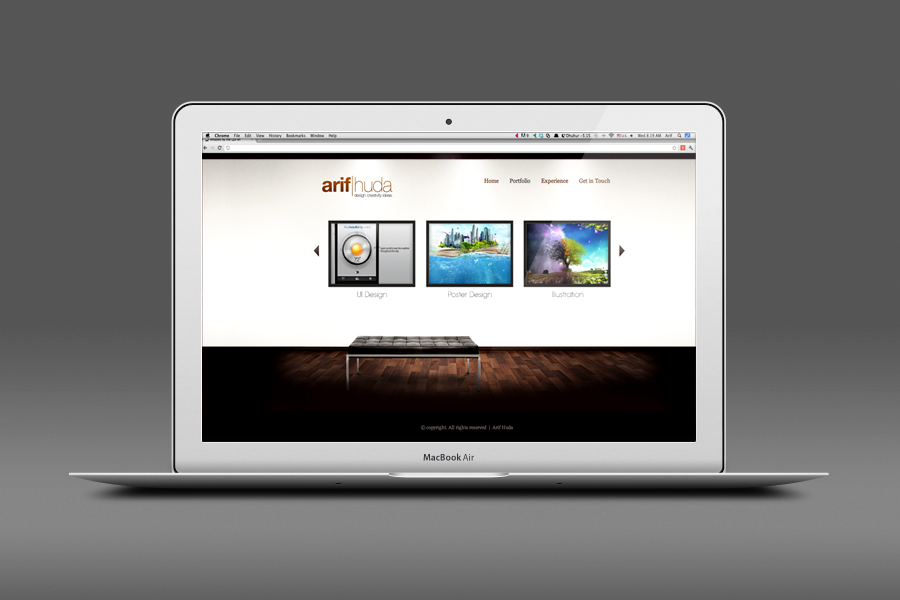
Before I completed this website, there was a prior version. Although it was 'pretty', the way it was designed would not accommodate my growing needs of showcasing my work and talking about it. So learning from the drawbacks of the first version, I set my sights on creating a better experience that incorporated responsive design. The 3 areas I wanted to focus on was: About Me :), My Work, and My Contact Info…and so this current design is a blend of all three without the clutter.
The Deal Is In iPhone App
Details
- Category
- Mobile Design
- Primary Role
- UI Design
- Client
- Wayside Group
- Progress
- Passed First Phase
Introduction
The Project
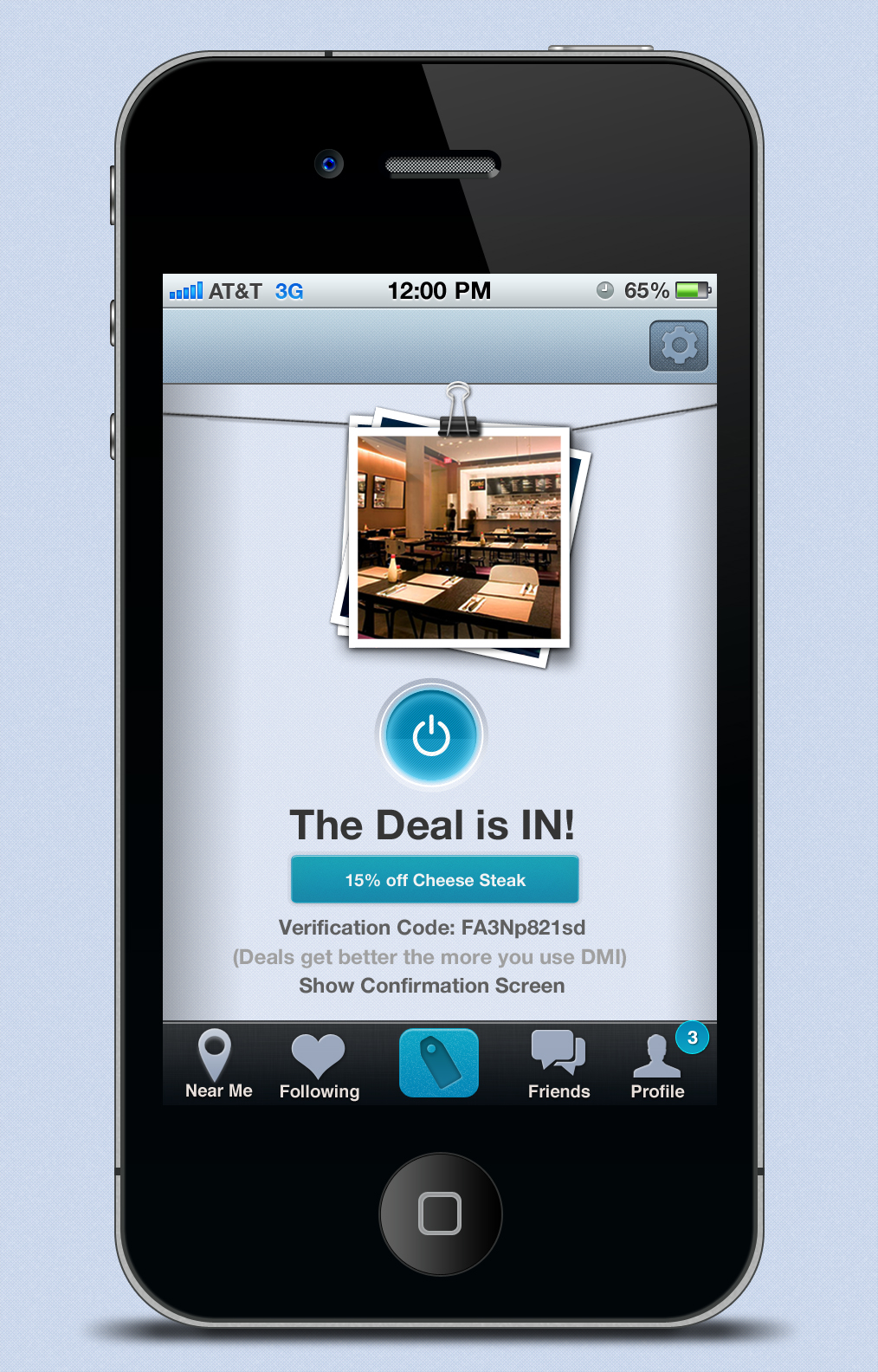
I was approached by a small group of individuals that were given the opportunity of a lifetime. They were allowed to compete in an 'incubator' program. Basically, this allows them to come up with an idea, draft a proposal, and even get a beta demo running. They came to me seeking assistance in doing the user interface for their application idea. The concept was very similar to group on and other 'Deal-Offering' companies with a few twists in the implementation. Long story short, their idea was to make it more personal to each user and much more relevant. The task was certainly exciting and learned a lot by researching the competition and design trends in that market. I enjoyed working with them and hope them the best. UPDATE:They passed the first round of presentations and demos!!!
Clock Icon Design
Details
- Category
- Mobile Design
- Primary Role
- Design
- Client
- Private
- Progress
- Completed
Introduction
The Project
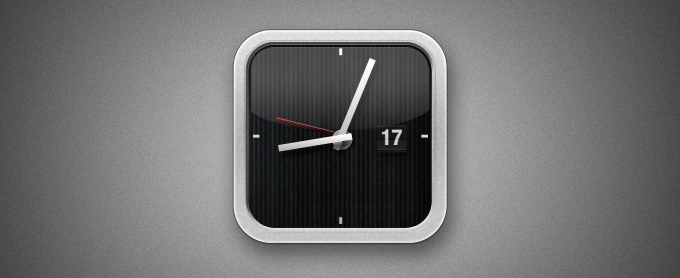
Contacted to make a sophisticated icon design for a watch.
Happily Ever After Poster
Details
- Category
- Print Design
- Primary Role
- Concept & Visual Design
- Client
- YM
- Progress
- Complete
Introduction
The Project
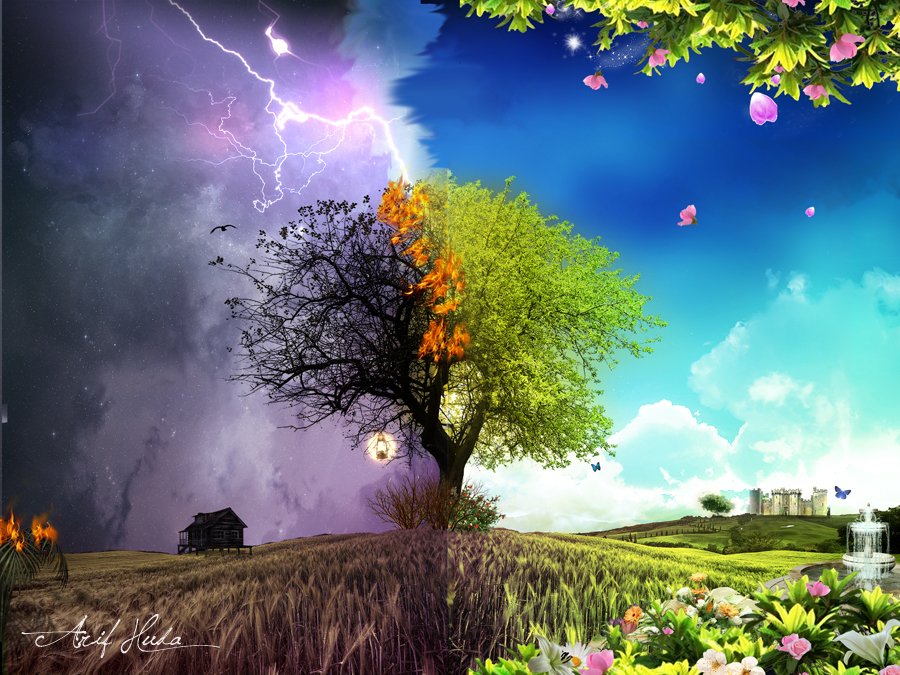
Contacted to do a poster for a conference geared towards the youth and the choices that they make.
Japanese Landscape Poster
Details
- Category
- Print Design
- Primary Role
- Concept & Visual Design
- Client
- Personal
- Progress
- Complete
The Project
Introduction
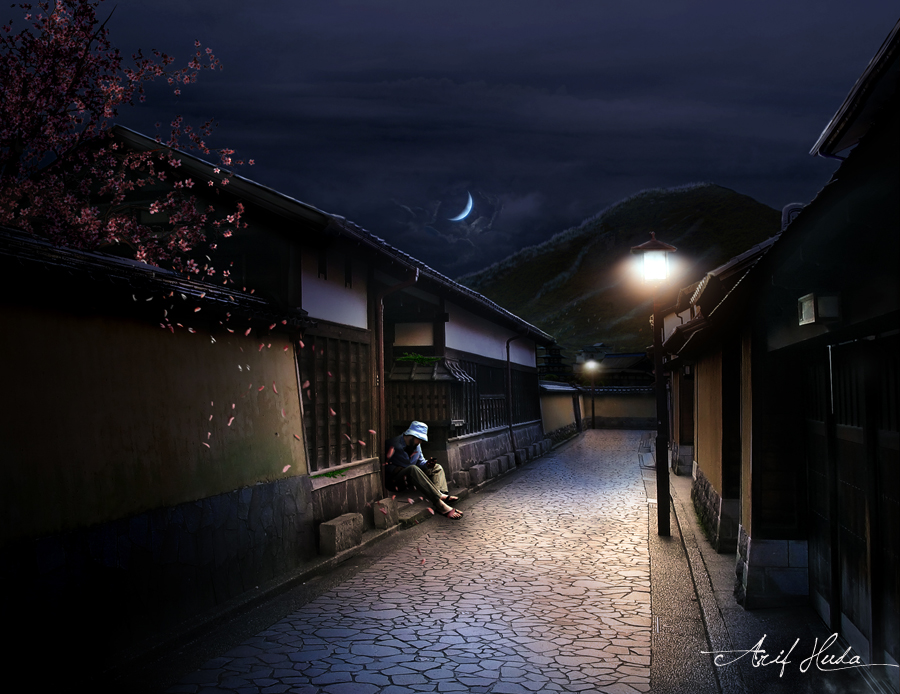
I always wanted to go to Japan but just never got the chance. So I photoshop'd the environment and put myself there as well. :)
Ilmfest Poster Design
Details
- Category
- Print Design
- Primary Role
- Concept & Visual Design
- Client
- Personal
- Progress
- Complete
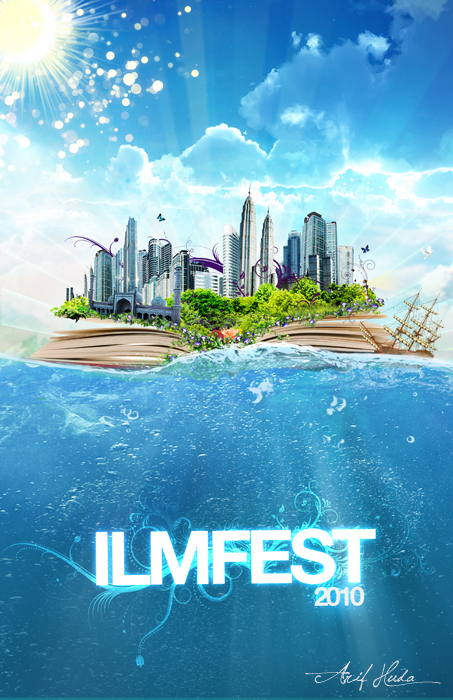
Introduction
The Project
Contacted to make a visual poster for an annual conference, this conference had 30,000 attendees
Noor Logo Design
Details
- Category
- Print Design
- Primary Role
- Concept & Visual Design
- Client
- Noor
- Progress
- Complete
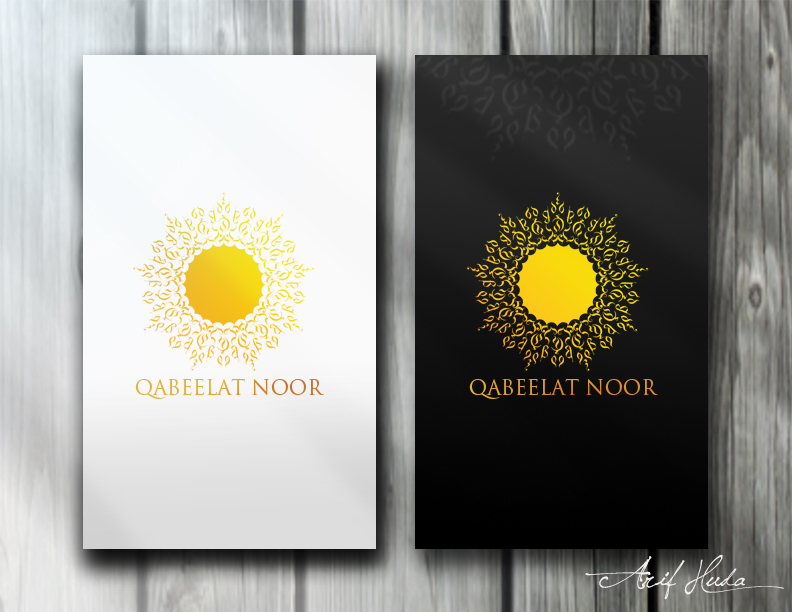
Introduction
The Project
This project was a logo design for an organization named Noor located in Orlando Florida. The arabic word 'Noor' means light, and so I wanted to combine the colors, style and meaning of Florida & Noor into the logo design.
Supplications Icon Design
Details
- Category
- Mobile Design
- Primary Role
- Concept & Visual Design
- Client
- Ihsaan|Fusion
- Progress
- Complete
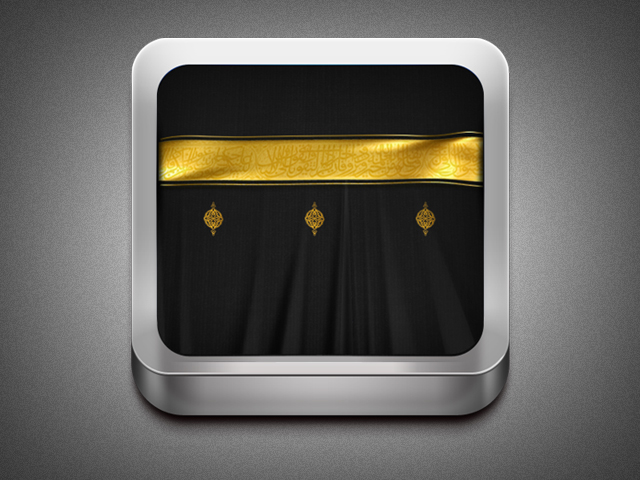
Introduction
The Project
Here is the accompanying icon design for the Supplications App. It is modeled after the Kaaba(located in Makkah), which is the central direction of worship for Muslims.
Behind the Scenes Poster Design
Details
- Category
- Print Design
- Primary Role
- Concept & Visual Design
- Client
- AlMaghrib
- Progress
- Complete
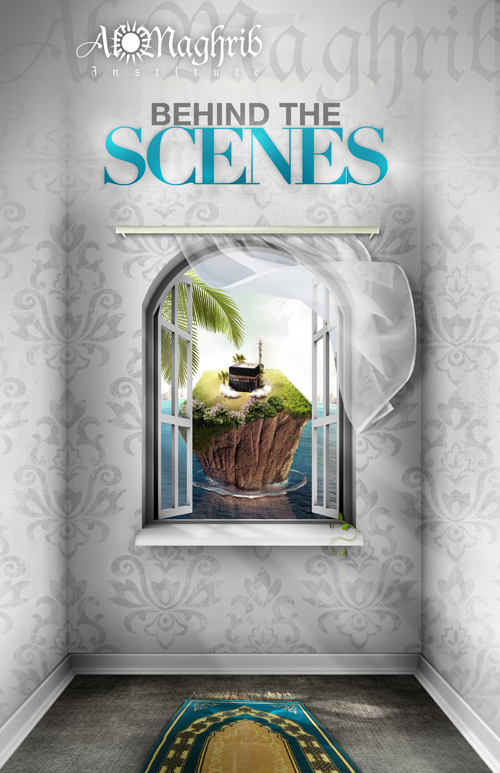
Introduction
The Project
Contacted to do a poster about spirituality and so incorporated elements to reflect the mood of serenity.
MCMC Book Poster Design
Details
- Category
- Print Design
- Primary Role
- Concept & Visual Design
- Client
- MCMC
- Progress
- Complete

Introduction
The Project
Contacted to do some poster art for a Night Program being held at MCMC.
Engraved Poster Design
Details
- Category
- Print Design
- Primary Role
- Concept & Visual Design
- Client
- AlMaghrib
- Progress
- Complete
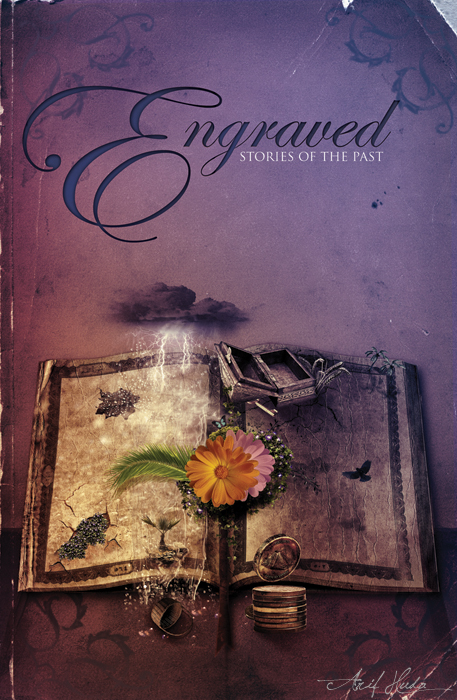
Introduction
The Project
Contacted to make a poster for a seminar that was being offered on stories of the past. I took a few of the stories and showcased them in the poster.
On the Shoulders of Giants Poster
Details
- Category
- Print Design
- Primary Role
- Concept & Visual Design
- Client
- AlMaghrib
- Progress
- Complete
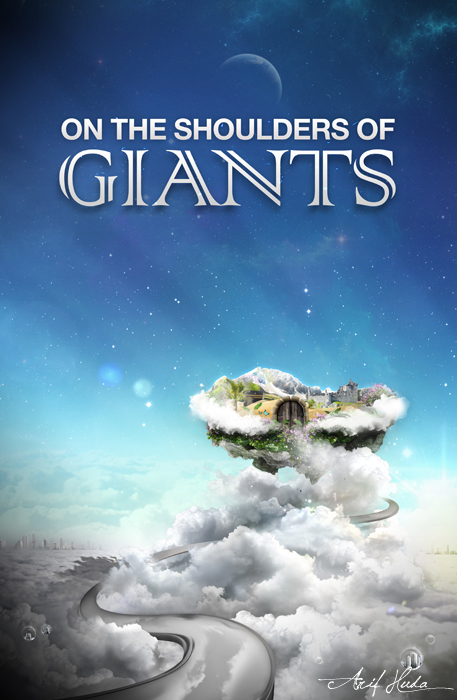
Introduction
The Project
Contacted to the poster for a seminar they were holding on the Role Models of the Great Men/Women of the past. I wanted to portray that and following in their footsteps to reach new personal heights.
Smashing Magazine Featured Wallpaper
Details
- Category
- Design
- Primary Role
- Concept & Visual Design
- Client
- Smashing Magazine
- Featured in
- Smashing Magazine

Introduction
The Project
Designed a wallpaper for Desktops and Mobile devices that was featured in the Smashing Magazine monthly wallpaper contest.
Time Traveller Poster Design
Details
- Category
- Poster Design
- Primary Role
- Concept & Visual Design
- Client
- DiscoverU
- Progress
- Complete
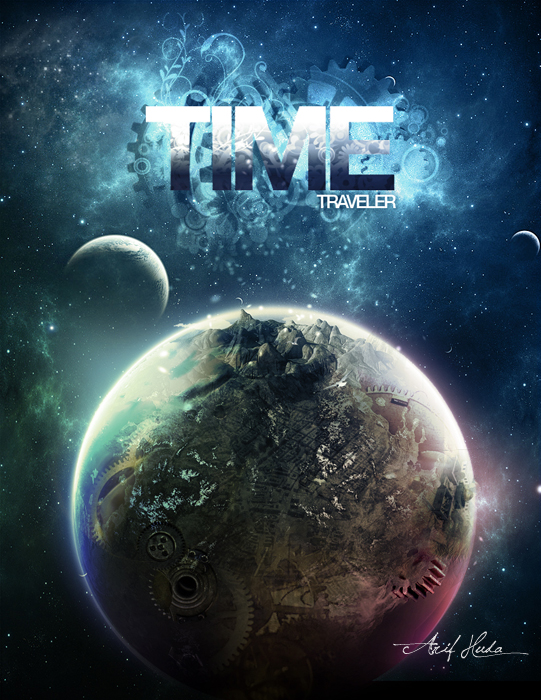
Introduction
The Project
A seminar on time management and how to control your time.
Coffee Design Poster
Details
- Category
- Poster Design
- Primary Role
- Concept & Visual Design
- Client
- Personal Project
- Progress
- Complete
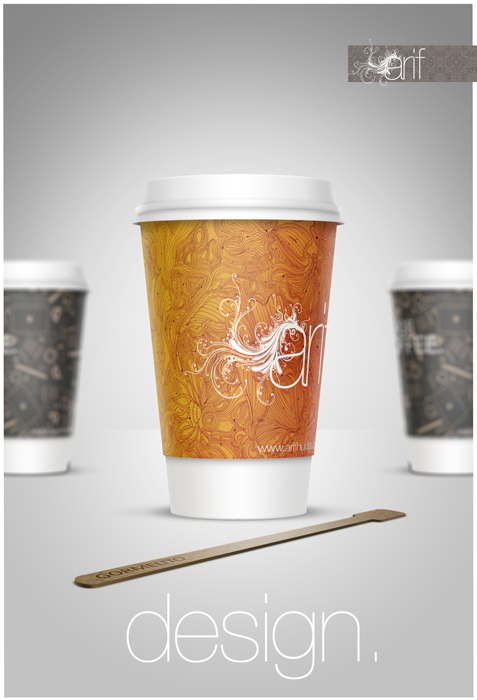
Introduction
The Project
Personal experiment in visual design and branding using Photoshop & Illustrator.
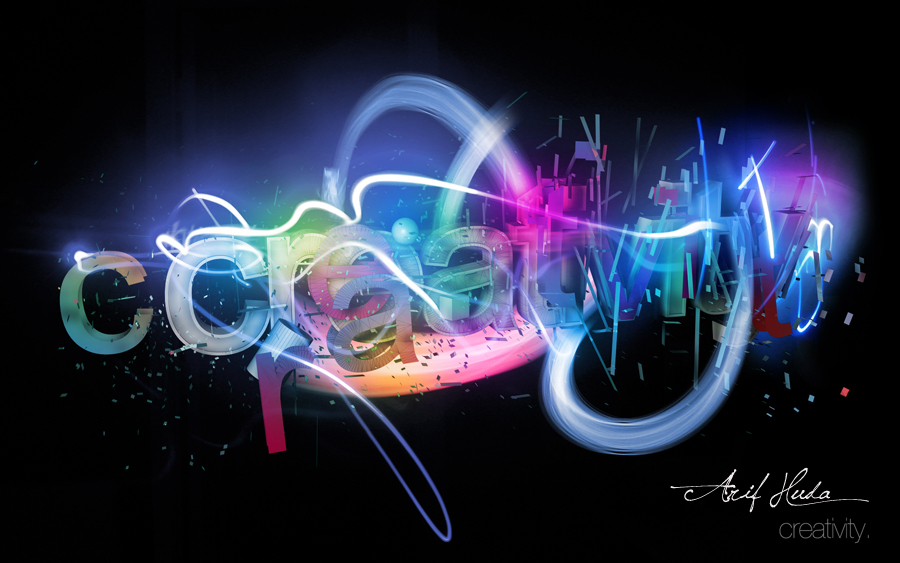
Creativity Typography
Details
- Category
- Poster Design
- Primary Role
- Concept & Visual Design
- Client
- Personal Project
- Progress
- Complete
Introduction
Tje Project
Personal experiment in visual design and branding using Photoshop, Lightroom, & Illustrator.
About Me
Introduction
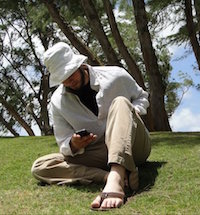
Since I was young, I would draw anything and everything, loved coloring and appreciated art & design. So when I was introduced to the Adobe creative suite in the early 2000's, it was no surprise that I instantly fell in love with it. I had begun to heavily study design techniques, typography, color theory, etc. and continue to study and explore new techniques. Whilst pursuing my educational goals at Rutgers, I also balanced a life of freelance design and professional work.
Over the years, these three areas of my life (education, freelance, and professional work) has allowed me to develop a very strong and unique set of skills. From Project planning, storyboarding, wire framing, creative solutions implementation, User Acceptance Testing and everything in between, I was able to get an end to end picture of the business cycle for various projects and initiatives.
I currently serve as the Creative Director and Founding Partner of a company called Ihsaan|Fusion. This start-up was an initiative that was focused on bringing creative and strategic UX solutions to our clients. We focused on providing mobile, web, video and print solutions to our clients.
To get a better idea of my experience, skills, and accomplishments please feel free to view my resume (link located below). And to see some of my work, you can click on 'Portfolio' on the top of the page or scroll down and click 'Check out my Work'.
My Skills
- Adobe Creative Suite
- 95
- Interaction Design
- 90
- Rapid Prototyping
- 98
- Usability Testing
- 90
- Mobile & Web Design
- 95
- HTML | CSS | JS
- 75
Experience
Contact Me
Contact Information
- arifhuda@gmail.com
- Phone
- 908.230.5816
- Address
- Santa Clara, CA 95054